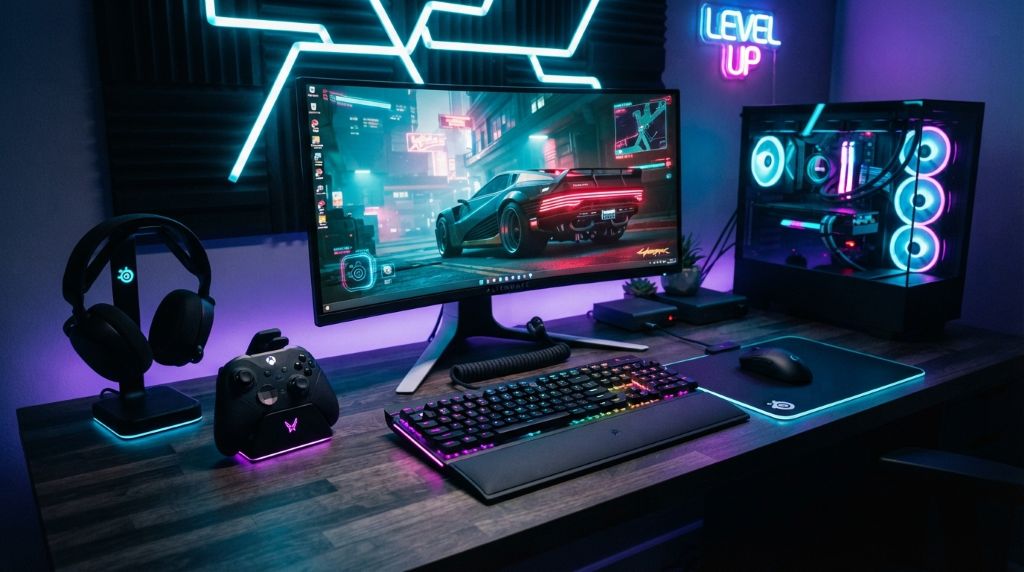
Walking into your first gaming store can feel overwhelming. Rows of keyboards, mice, and headsets all promise to make you a better player. I remember buying my first mechanical keyboard years ago simply because it looked cool. It took months of trial and error to learn what actually improves gameplay—something most generic game guides fail to warn you about. This guide shares that hard-won knowledge, so you skip the guesswork.
A good setup is not about spending the most money. It is about choosing gear that fits your games, your space, and your body. Below, we break down every piece of equipment worth considering, one at a time.
Key Takeaways
- A great gaming setup starts with a monitor that matches your refresh rate needs.
- Mechanical keyboards offer faster response times and better durability than membrane boards.
- A gaming mouse should match your grip style and hand size, not just its price tag.
- Headsets improve both immersion and communication during multiplayer sessions.
- Comfort matters as much as performance; chairs and desks reduce fatigue over long sessions.
- The gaming accessories market is growing fast, showing how much players value quality gear.
Why Your Gaming Setup Matters
Your gear directly affects how you play. A laggy mouse can cost you a match. A blurry monitor can hide enemies in the corner of your screen. Therefore, every piece of equipment plays a role in your overall performance.
The gaming accessories industry has grown rapidly in recent years. According to a 2026 market report, the gaming accessories market is expected to grow from $13.09 billion in 2025 to $14.39 billion in 2026. This growth reflects rising demand from esports players, streamers, and everyday gamers who want an edge. Additionally, the same report notes that low-latency interfaces are now central to purchasing decisions.
This matters because it shows gear is not just a luxury anymore. It has become part of how people play and compete. Whether you are a casual player or an aspiring streamer, the right setup helps you enjoy games more fully. It also reduces physical strain during long sessions. Investing in the basics first, before chasing flashy extras, sets a strong foundation.
Choosing the Right Gaming Monitor
Your monitor is the window into every game you play. A poor display can undercut even the most powerful gaming PC. So, this is often the first upgrade worth making.
Refresh rate matters most for competitive players. A 144Hz or 240Hz monitor shows smoother motion than a standard 60Hz screen. This helps you track fast-moving targets in shooters. Response time is equally important, since it measures how quickly pixels change color. Lower numbers, such as 1ms, reduce motion blur.
Resolution is another key factor. A 1440p monitor offers sharper detail than 1080p, without demanding as much power as 4K. However, 4K remains popular for slower-paced, visually rich games. Consider your graphics card’s power before choosing a higher resolution.
Panel type also shapes your experience. IPS panels deliver better color accuracy and wider viewing angles. TN panels, meanwhile, often have faster response times but weaker colors. VA panels sit in between, offering strong contrast for dark scenes.
Screen size depends on your desk space and viewing distance. A 27-inch monitor suits most desks comfortably. Ultra-wide monitors, on the other hand, immerse players in racing or strategy games. Test different sizes in person when possible, since personal preference varies widely.
Picking a Gaming Keyboard
A keyboard is more than a typing tool. For gamers, it becomes an extension of their reflexes. Choosing the right one can genuinely improve reaction time.
Mechanical keyboards remain the top choice among serious players. They use individual switches under each key, unlike membrane keyboards. This design offers tactile feedback and faster actuation. Many mechanical keys also last through tens of millions of keystrokes, making them highly durable over time.
Switch type changes how a keyboard feels. Linear switches, such as Cherry MX Red, offer smooth, quiet presses. Tactile switches provide a noticeable bump, helping you confirm each keystroke. Clicky switches add an audible click, which some players find satisfying but others find distracting in shared spaces.
Additionally, consider whether you want a full-size, tenkeyless, or compact keyboard. Tenkeyless boards remove the number pad, freeing up desk space for mouse movement. This layout is popular among first-person shooter players who need more room to swing their mouse.
Wireless keyboards have also improved significantly. Many now offer response times close to wired models. However, wired keyboards remain the safer choice for competitive play, since they avoid any chance of connection lag.
Lastly, look for programmable keys and customizable lighting if you enjoy personalizing your setup. These features do not boost performance directly, but they do make your desk feel like your own.
Selecting a Gaming Mouse
The mouse is arguably the most personal piece of gaming gear. It sits in your hand for hours, so comfort and precision both matter greatly.
Grip style should guide your choice. Palm grip users rest their whole hand on the mouse, favoring larger shapes. Claw grip users arch their fingers, preferring mice with a defined hump. Fingertip grip users touch only the tips of their fingers, so they often choose lighter, smaller mice.
Sensor quality affects tracking accuracy. Optical sensors are now standard in most gaming mice, offering high precision at various speeds. DPI, or dots per inch, determines sensitivity. Higher DPI is not always better; consistency and control matter more than raw numbers.
Weight also plays a surprising role in performance. Lighter mice, often under 70 grams, allow for quicker flicks and less fatigue. Heavier mice can feel more stable for slower, precise movements. Try both styles before committing, since preference varies by game genre.
Wireless mice have closed the performance gap with wired options. Many now use fast, reliable connections with minimal input lag. This makes wireless a realistic choice for competitive gamers, not just a convenience feature.
Finally, button placement matters for genres beyond shooters. MMO and strategy players often benefit from extra side buttons. These allow quick access to abilities or macros without touching the keyboard.
Gaming Headset for Sound and Communication
Sound gives players critical information. Footsteps, gunfire direction, and enemy positioning often come through audio before visuals confirm them. A quality headset can genuinely improve your competitive edge.
Surround sound, whether virtual or true, helps players pinpoint direction. This is especially valuable in shooters and survival games. Comfort matters too, since sessions can last several hours. Look for breathable ear cushions and an adjustable headband.
Microphone quality affects team communication. A clear, noise-canceling microphone helps teammates understand callouts quickly. Poor audio can lead to confusion during critical moments in ranked matches.
Wired versus wireless remains a personal choice here as well. Wireless headsets offer freedom of movement, which suits streamers who move around often. Wired headsets, however, avoid battery concerns and potential interference entirely.
Comfortable Gaming Chair and Desk
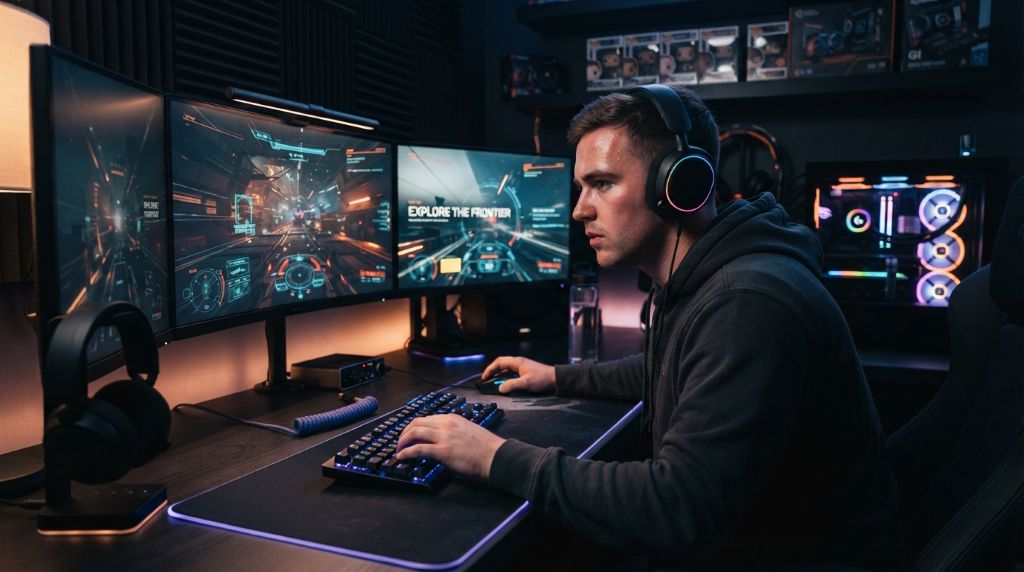
Long gaming sessions take a toll on the body. Therefore, comfort should never be an afterthought in your setup. A good chair supports your back, while a proper desk keeps your arms at a healthy angle.
An ergonomic chair should offer adjustable height, lumbar support, and armrests. This reduces strain on your lower back during extended play. Desks should sit at a height where your elbows form roughly a 90-degree angle while typing.
Standing desks have also grown popular among gamers who stream for long hours. Switching between sitting and standing reduces stiffness. Cable management tools, though minor, keep your desk tidy and reduce visual clutter, which many players find helps them focus better.
Extra Accessories Worth Considering
Beyond the essentials, a few extras can round out your setup nicely. A quality mouse pad provides consistent glide and tracking. Large desk mats cover both mouse and keyboard, creating a uniform surface.
Webcams matter for streamers who want clear video quality. Capture cards help console players record and stream gameplay smoothly. Additionally, a UPS, or uninterruptible power supply, protects your setup during unexpected outages.
None of these extras replace the core essentials. However, they add polish and functionality once your foundation is solid.
Frequently Asked Questions
What is the most important piece of gaming gear to buy first?
A good monitor usually offers the biggest improvement. It affects how clearly you see every game you play, regardless of genre.
Do I need a mechanical keyboard for gaming?
Not strictly, but mechanical keyboards offer faster response and better durability. Many competitive players prefer them for this reason.
Is a wireless mouse good enough for competitive gaming?
Yes, modern wireless mice have closed the performance gap with wired models. Many professional players now use wireless options without issue.
How often should I replace my gaming headset?
Most headsets last two to four years with regular use. Replace them sooner if sound quality drops or the padding wears out.
Do expensive gaming chairs really make a difference?
Yes, ergonomic chairs reduce back and neck strain during long sessions. This comfort can also help maintain focus during extended play.
Conclusion
Building a great gaming setup takes time, but it does not require unlimited money. Start with a solid monitor, then invest in a keyboard and mouse that fit your play style. Once you’re ready to explore new gaming experiences, check out this guide to the best games like Where Winds Meet for more titles to add to your list. Add a comfortable headset and supportive chair once your budget allows. Each piece works together to create a smoother, more enjoyable gaming experience.
What does your current setup look like, and what will you upgrade next? Share your thoughts in the comments below, and pass this guide along to a friend who is building their own gaming station.